PARTsolutions Menu > Configuration files > $CADENAS_SETUP > pappserver.cfg
To activate the HealthInfoModule, at least the Enabled key must be set to the value 1.
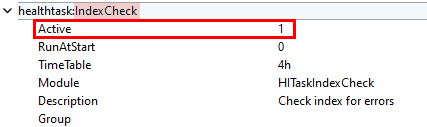
Activate select the desired modules in the respective block "
healthtask:name" by selecting the Key Active to the value 1 .Reload the page in the web browser and log in again to see the changes