As long as a main part has no duplicates assigned, you can simply set the annotation to "not annotated". This can be done by toggling the button in the results list (the button then loses its fill color) or by clicking the trash can icon on the right under Duplicates in the duplicates list (-> the part is deleted from the list).
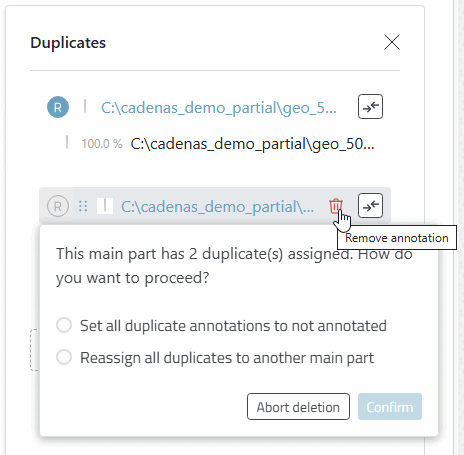
It becomes a little more complicated if duplicates are assigned to a main part. In this case, a context menu is displayed:
If an annotation is removed by clicking on the recycle bin, a prompt appears: