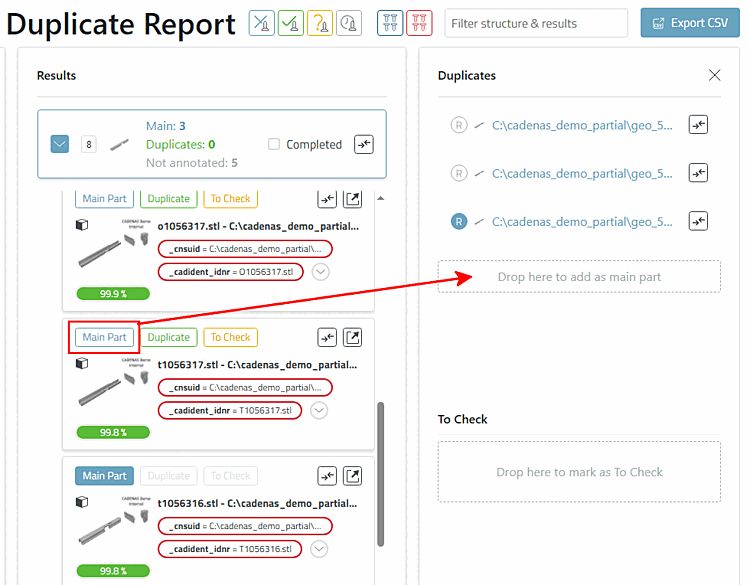
The results area is a list of clusters.
A cluster map shows the following information:
Number of main parts
Number of duplicate candidates
Number of non-annotated parts
Checkbox Completed to manually mark the cluster as completed.
Complare all parts button: (navigates to the parts comparison in 3Dfindit)
A cluster contains a list of duplicate candidates (similar parts).
The candidates can be annotated as:
Main Part: To do this, either click on the Main Part button for the desired candidate or drag the candidate into the Drop here to add as main part field.
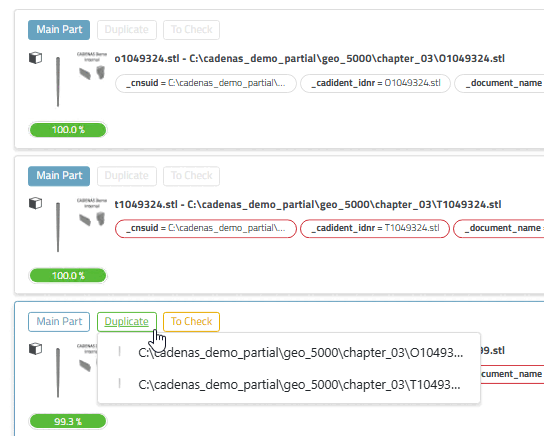
Duplicate: To annotate a candidate as a duplicate of a main part, click either
on the button, whereby there are two options here:
or
drag the candidate on the right in the Duplicates field into the Drop here to add as main part field of the desired candidate.
To Check Part: Click on the button to annotate the candidate as a part to be checked.
Several main parts are also possible.