
5.23.8. Standard workflows for CAD & PLM/PDM environment 5.23.8.2. Apply for ERP number via Part number manager
|  |
| Prev | Next |
- 5.23.8.2.1. Prerequisites
- 5.23.8.2.2. Request with simple attachment in the Part Number Manager
- 5.23.8.2.3. Request with attachment in the Part Number Manager plus LinkDB entry
- 5.23.8.2.4. Trigger request via "CAD" button
- 5.23.8.2.5. Send notifications by e-mail


Use
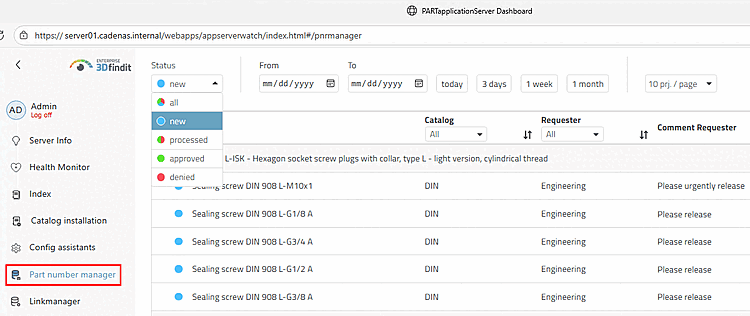
this method to send user requests (for an ERP number) to the AppServer.
and display them on the Part number dashboard page.
manager (instead of dealing with e-mails).
work). The user is informed of the current status in 3Dfindit
by means of  activity [Activities] dialog
informed.
activity [Activities] dialog
informed.
![Notification via "Activities [Activities]" dialog](https://webapi.partcommunity.com/service/help/latest/pages/en/partsolutions_user/doc/resources/img/img_75d25f7d94004b048c4c599d0cd196d3.png)
In practice, there are two common use cases, which are described in detail below:
Please read both descriptions: There is some overlap, although the second one is a little more detailed in some respects.