
 |
Editing a large number of supplier address data directly in PARTproject is possible, but annoying. Better use the function Import address information.
Provide a CSV file with the desired address data.
Following columns are supported:
CATALOG; COUNTRY; COMPANY; DESCRIPTION; STREET; DISTRICT; ZIP; LOCATION; PHONE; FAX; EMAIL; URL; NAME
Example for header line and first line:
CATALOG;COUNTRY;COMPANY;DESCRIPTION;STREET;DISTRICT;ZIP;LOCATION;PHONE;
 FAX;EMAIL;URL;NAME;
catalogname;DE;COMPANY KG;Hauptsitz;Müllerstraße 2;;72172;Irgendwo;+49 1111 793-0;
+49 1111 793-33;info@company.com;http://www.compan.de/;Name
FAX;EMAIL;URL;NAME;
catalogname;DE;COMPANY KG;Hauptsitz;Müllerstraße 2;;72172;Irgendwo;+49 1111 793-0;
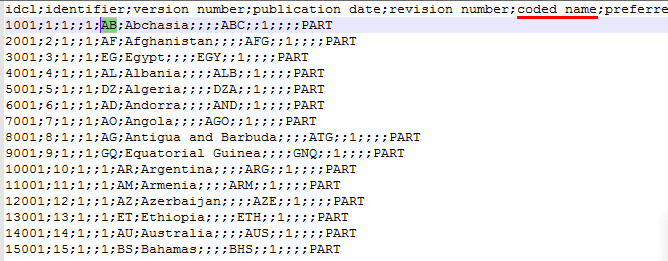
+49 1111 793-33;info@company.com;http://www.compan.de/;NameCountry codes can be viewed under
$CADENAS_DATA/datasetup/classsystem/by_countries/by_countries_default.csv(column 6).
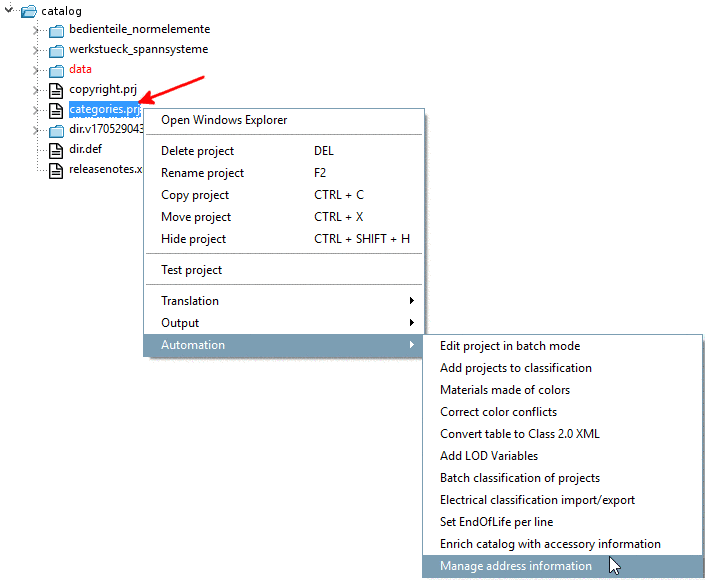
Call the command Import address information in PARTproject, in your catalog on
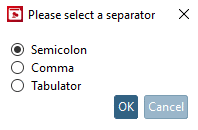
categories.prj.In the dialog box Choose a separator, choose the adequate separator and confirm with .
After selection of
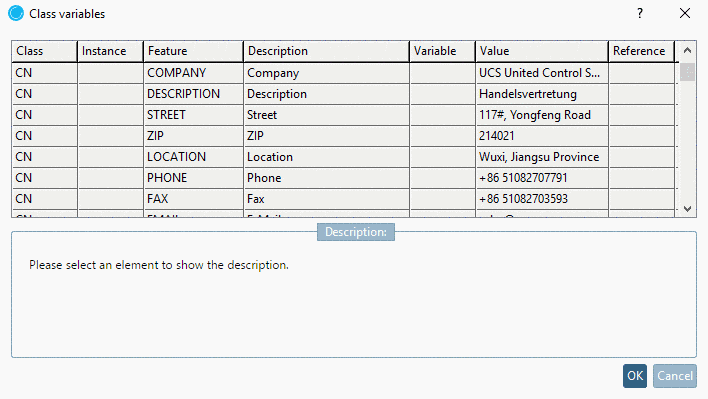
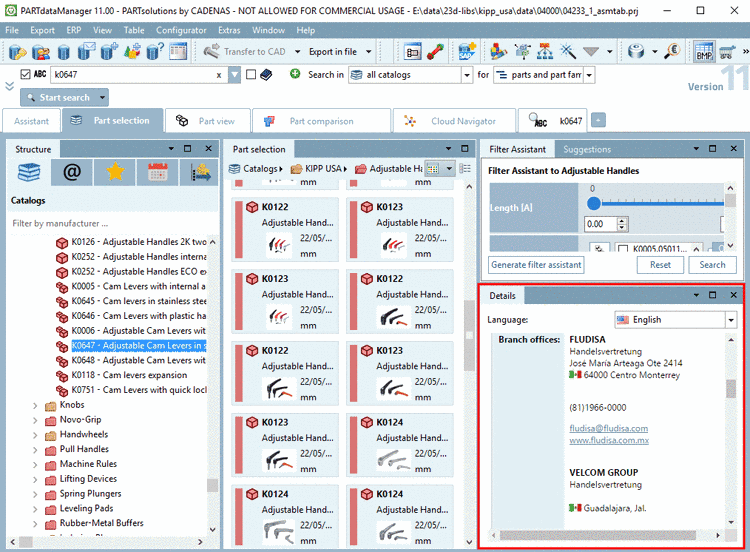
categories.prjunder PARTproject -> tabbed page General -> Classification -> Classification (By Countries) and Attributes (By Countries) you can directly access the data.Have a look on the address data in PARTdataManager, in the docking window Details.

Also see Section 5.8.2.1.15.26, “ Manage address data ” in eCATALOGsolutions Manual.