The PARTapplication Dashboard can be used to check whether a task is running and what action was performed.
The " Tasks " tab on the dashboard is used for this purpose.
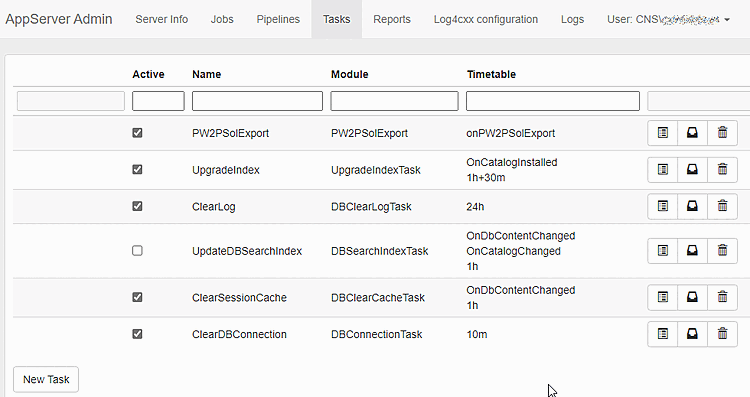
For the Tasks tab to appear in the dashboard, you must be logged in and have the necessary permissions .
!["Rights administration [Rights administration]" category -> "Rights" tab](https://webapi.partcommunity.com/service/help/latest/pages/en/partsolutions_user/doc/resources/img/img_2c0eaaa4b4924df19d9623567b08ff17.png)
The
"Show
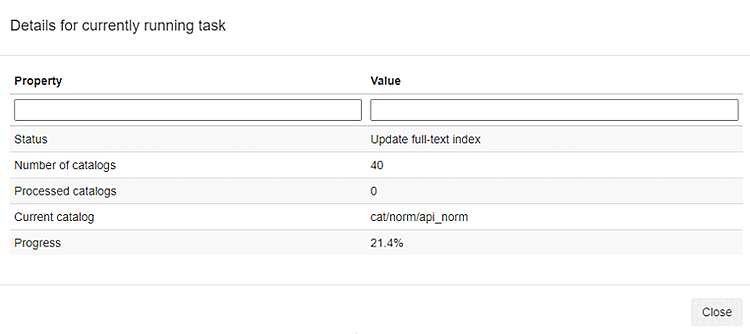
current State" icon  shows whether a task is currently running and which
Action is currently being performed in the task.
shows whether a task is currently running and which
Action is currently being performed in the task.
The icon
 provides information on already executed
Tasks. In the overview that appears, you can see when the
Tasks were executed and how many catalogs were updated in the process
.
provides information on already executed
Tasks. In the overview that appears, you can see when the
Tasks were executed and how many catalogs were updated in the process
.
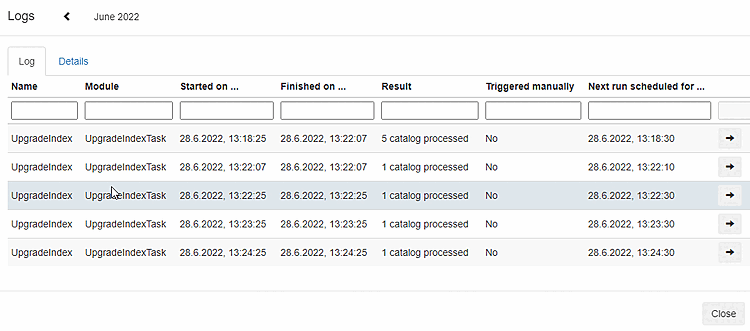
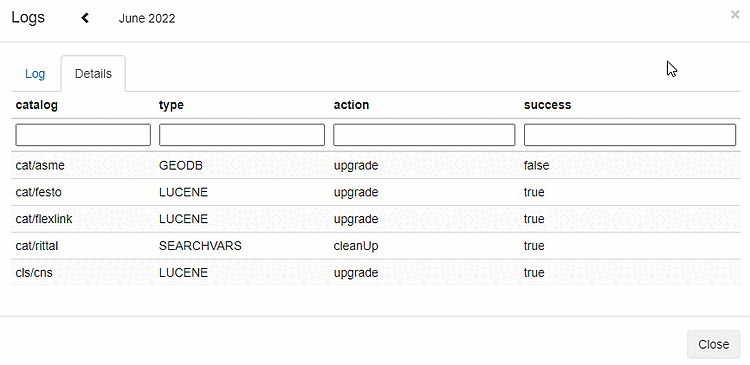
By clicking on the arrow icon, you can see which catalogs and which indexes have been updated
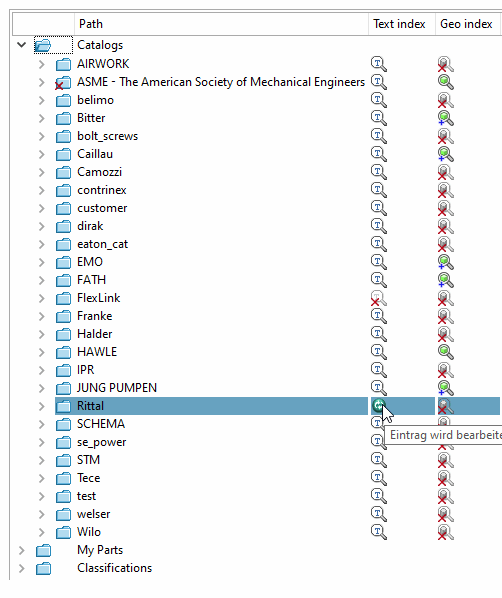
In PARTadmin's index management, you can also see which index is currently being updated.
The currently updated index is marked there with a green icon .