In order to change the value of one or more datasets
according to a specific column, do the following:
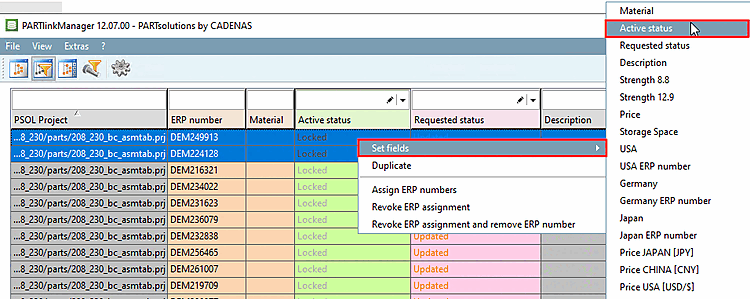
Mark one
or more datasets (holding down CTRL and SHIFT).
Launch the
context menu via the right mouse button.
Select Set fields and then the desired column name.
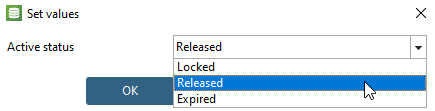
The Set values dialog box opens.
Enter the desired value and confirm with OK.
-> The
corresponding values of all selected datasets are changed.
Reload the part in the PARTdataManager again to see the change there.