
 |
Reports are
marked by a special icon  :
:
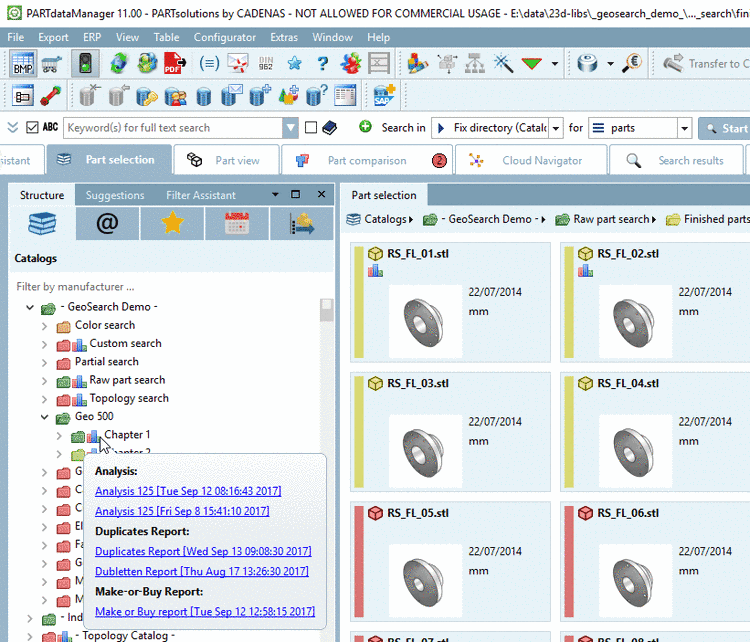
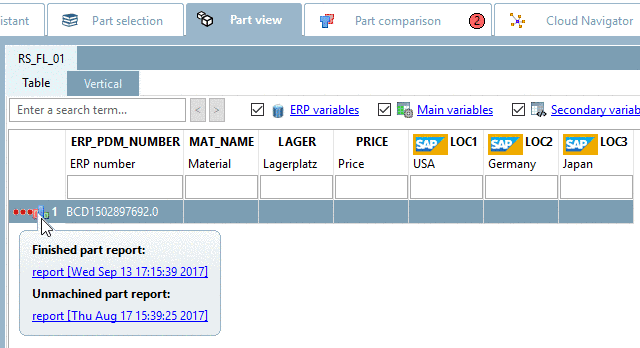
When clicking on the icon the respective report opens. If there is more than one available, a dialog box opens where you can select the desired report (see Section 3.1.13.4.3, “ Report management... - Call up created reports later ”).
Created reports are saved and can be called up anytime later via:
The dialog box Generated reports opens.
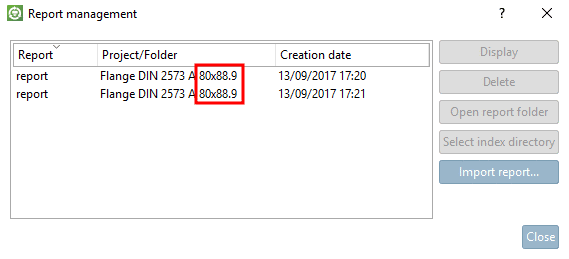
If a report had been created based on a line (Search for unmachined parts), then the standard name (NB) is displayed, otherwise the standard text (NT).
Afterwards the following functions are available:
| Button | Function |
| The report is opened. | |
| The report is deleted. | |
|
The respective directory under
| |
| The directory where the report is based on, is marked in the index tree. | |
|
Communicate cross-departmental. Simply import other's reports. An Explorer window opens. Select the report to import. On this also see the function Search part... under Section 3.1.13.1.11, “Buttons ”. | |
| The dialog box is closed. |