
1.4.1.2.2. PARTdesigner 1.4.1.2.2.10. New quick selection button for the "Rename. .." function |  |
| Prev | Next |
In PARTdesigner, you can execute the Rename [Rename...]. .. [Rename...] function, for example of a layer [Plane], a pattern [Pattern] or a sketch [Sketch], immediately via the quick selection key F2. You will then receive a small dialog box in which you can enter the new name.
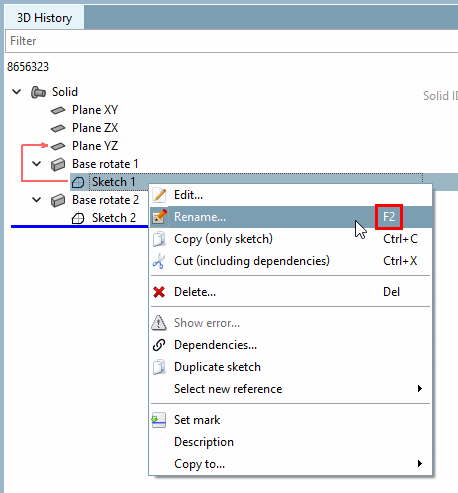
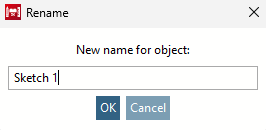
You can also find a description of this in the manual in the Section 7.6.3.4, “ Rename ” in eCATALOG 3Dfindit chapter.