

In the Sketcher, you can now reverse the alignment for the arc variants Arc over center point, 2 limiting points and radius [Arc (center, 2 limit points, radius)], Arc over secant and radius [Arc (secant and radius)], Arc over center point, point on circumference and 2 limiting points [Arc (center, 2 limit points, circumference point)] and Arc over center point, start angle, end angle and radius [Arc (center, start angle, end angle, radius)].
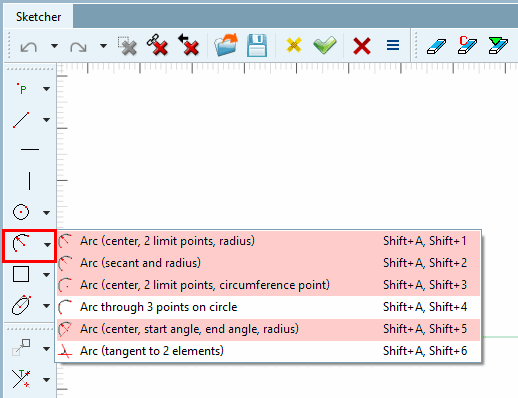
Select one of the possible functions and draw an arc in any sketch.
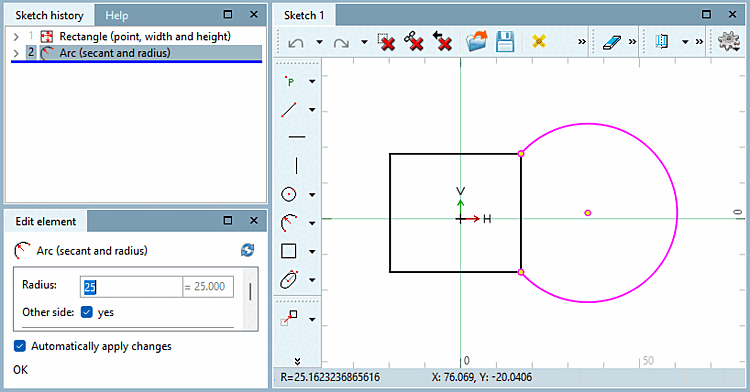
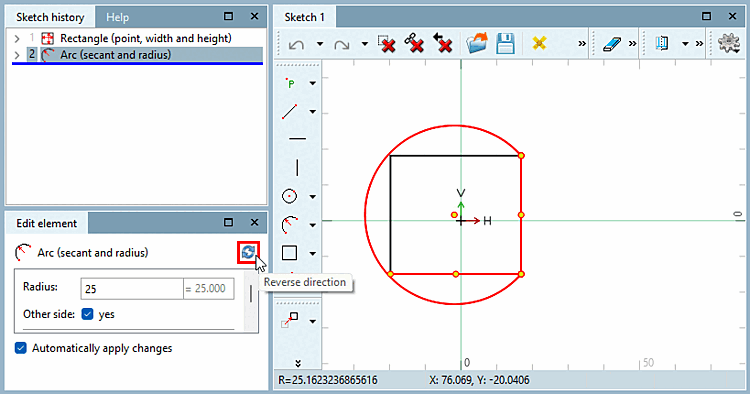
In the Edit element window, you will now find the Reverse direction button, which you can use to change the alignment as often as you like.
You can find more information on arches in the Section 7.9.3.8, “ Shapes -> Arcs ” in eCATALOG 3Dfindit chapter.