

In PARTdesigner, you can open and edit not only individual parts but also entire assemblies.
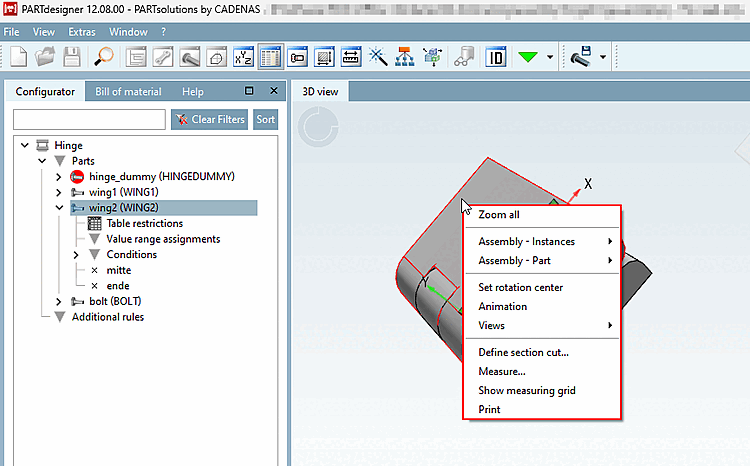
In addition to the selection options familiar from individual parts, you will find two additional menu items for assemblies: Assembly - Structure [Assembly - Instances] and Assembly - Component [Assembly - Part].
![Individual part selected in assembly -> "Assembly - Structure [Assembly - Instances] " context menu command](https://webapi.partcommunity.com/service/help/latest/pages/en/partwarehouse/doc/resources/img/img_23fc2c462a8c4a84b853fe10aa1aeaec.png)
Individual part selected in assembly -> "Assembly - Structure [Assembly - Instances] " context menu command
![Individual part selected in assembly -> "Assembly - Rule [Assembly - Rule] " context menu command](https://webapi.partcommunity.com/service/help/latest/pages/en/partwarehouse/doc/resources/img/img_d1e35964b0f845e7a3106e68a06ad873.png)
Opens the Properties [Part properties] window for the part [Part properties], in which additional settings can be made in addition to the path and file name.
Deletes the component on the left from the configurator if it is not used.
Duplicates the targeted component after querying the properties that are to be copied.
The targeted component can be replaced by a part on the local hard disk.
Shows in the configurator which other parts the component refers to.
Opens PARTproject or brings the application to the foreground.
Details on the editing of assemblies can be found under Section 7.13, “Docking window "Configurator " / "Assembly "”.