|
As of v9.03 the Classification Toolbar is available in revised form.
With the aid of the Classimporter you can apply your own company catalog, which uses your company internal class system.[88]
With the aid of the ClassificationToolbar, which can be displayed in PARTdataManager, you can further modify the structure of the class system.[89]

The following commands are available:


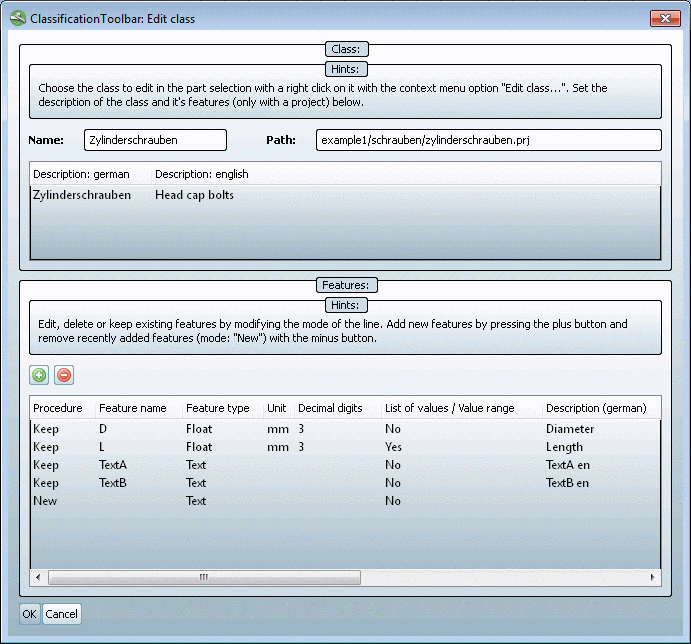
The following figure shows the Edit class dialog box. Here you can make changes on already existing classes.
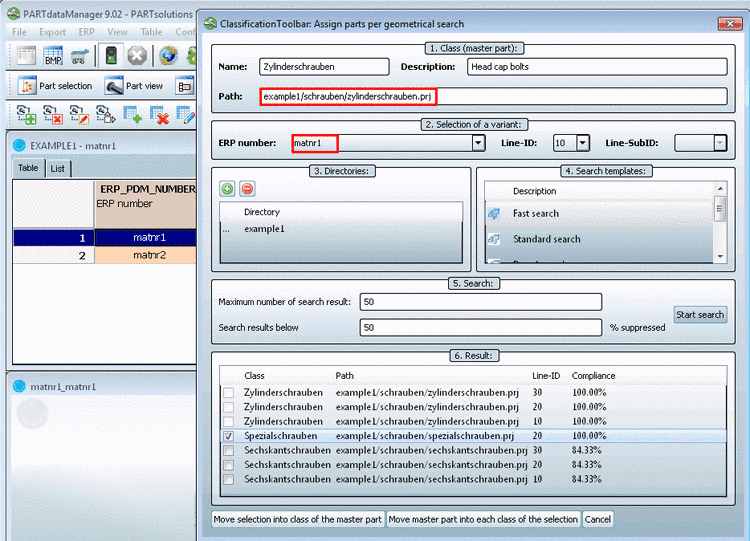
Assign parts with the aid of the geometric search
When a new part has been created, then on its base geometric similar parts can be searched. So you can see into which class the part is fitting best. In a next step you can move the search part or found parts accordingly.