


The 3D History [3D History] docking pane is a central "hub" within PARTdesigner.
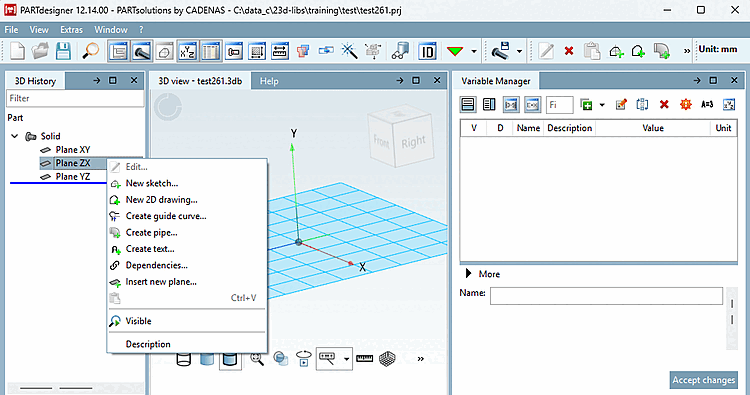
When you open a new file , the feature tree displays only the three basic planes XY, ZX, and YZ. All subsequent design steps ( sketches, rotations, extrusions, etc.) are added to these planes.
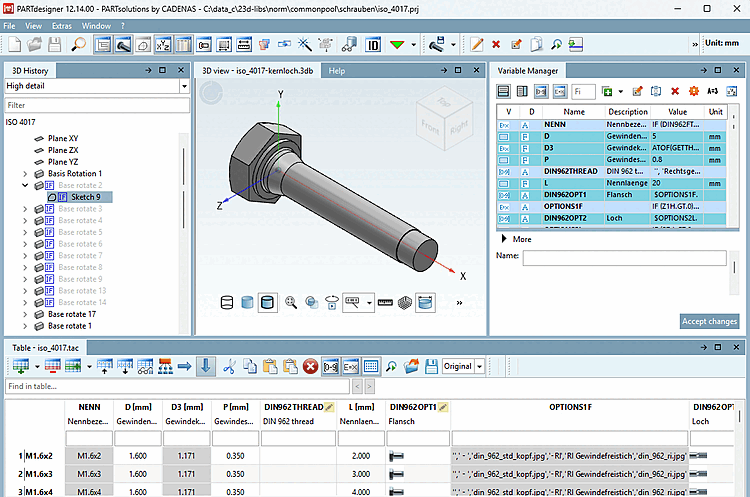
The following figure shows the 3D history [3D History] with a part that has already been created.
Its context menus are used, among other things, to open the Sketcher (with Sketch History [Sketch history] ), where the basic sketch is created.
![Open the "Sketcher" with "Sketch History [Sketch history]" via the context menu command "Edit..."](https://webapi.partcommunity.com/service/help/latest/pages/en/ecatalogsolutions/doc/resources/img/img_51d3b43e691140c7ba8040586282e42e.png)
!["Sketcher" with "Sketch History [Sketch history]"](https://webapi.partcommunity.com/service/help/latest/pages/en/ecatalogsolutions/doc/resources/img/img_63d08691c15246a2914838c7fbd1abfa.png)
In the sketch history [Sketch history], all design steps are documented so that the respective part assembly can be traced and, if necessary, modified at a later time. See also the next section.
Detailed information on the 3D history [3D History] can be found at Section 7.6, “ Docking window "3D History " ”.