7.7.1.2.4. Context menu on the side wall of an ellipse
Docking window "3D view" Context menu on the side wall of an ellipse

Docking window "3D view" Context menu on the side wall of an ellipse

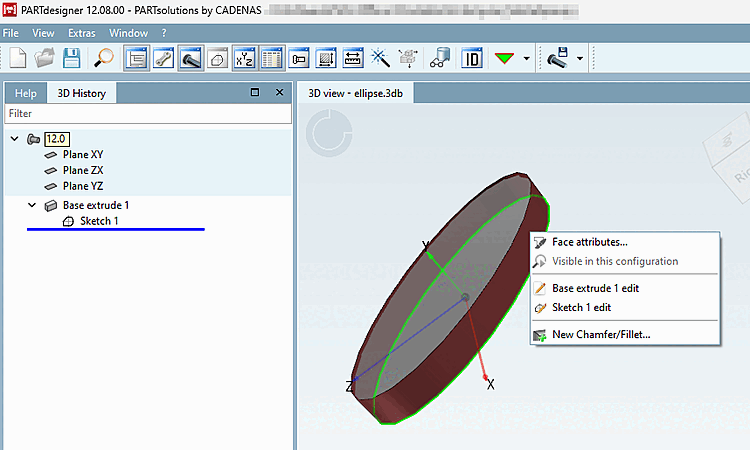
  • Area attributes [Face attributes]

    Area attributes can be displayed & created / edited. Here you will find a detailed description of the function: Area attributes

  • Edit creating elements

    Allows you to edit the basic areas. Here you will find detailed information on the basic functions: Extrude / Rotate / Edit

  • Create new chamfer/rounding... [New Chamfer/Fillet...]

    Creates a new chamfer or rounding on the selected surface.

[Note]Note

Component surfaces with few or no configuration options in the context menu

Component surfaces with few or no configuration options in the context menu

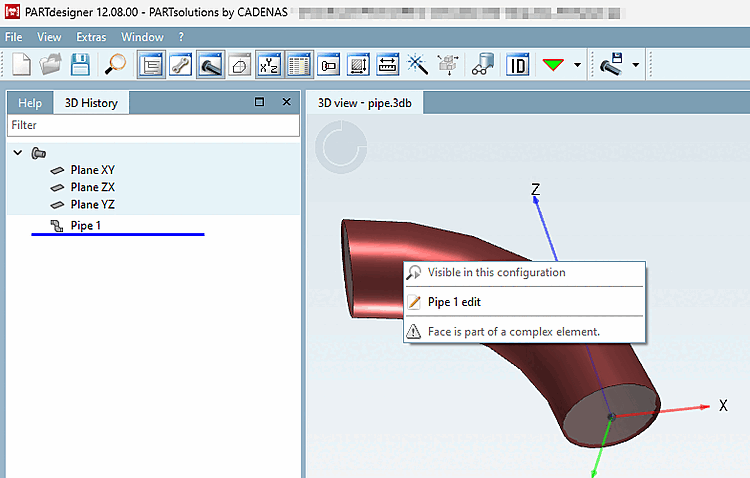
The context menu is severely restricted for some shapes or surfaces of a component. These include the side wall of an ellipse, the connecting surfaces of a sweep and the individual parts of pipes.

For the side wall of an ellipse, you can view/add or change the surface attributes, edit the base surfaces and add a chamfer/rounding.

The context menu of the connecting surfaces of a sweep, the individual parts of pipes, points and lines only offer editing of the basic surfaces.