The Filter variable setting can be used to filter individual lines from the table of a project during catalog splitting. The detailed description of catalog splitting can only be found in the "Internal" manual.
![[Note]](https://webapi.partcommunity.com/service/help/latest/pages/en/ecatalogsolutions/doc/images/note.png)
To create a filter using filter variables [Filter variable], proceed as follows:
In the PARTproject in the
datadirectory of the catalog to be shared, the project where the filter should be applied.Specify the name of the variable in the Filter variable setting.
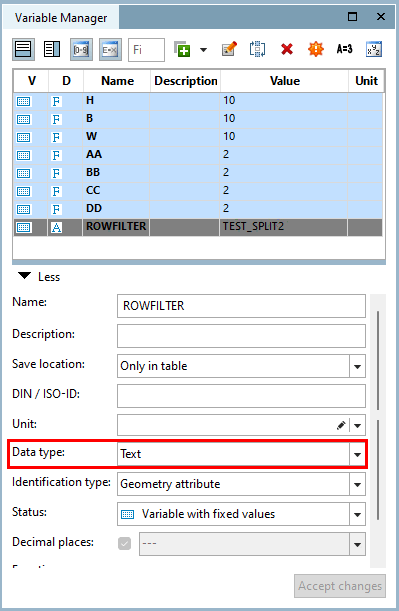
Add a variable with the name defined in step 2 via the Variable Manager. Make sure to set the data type [Data type] to "Text".
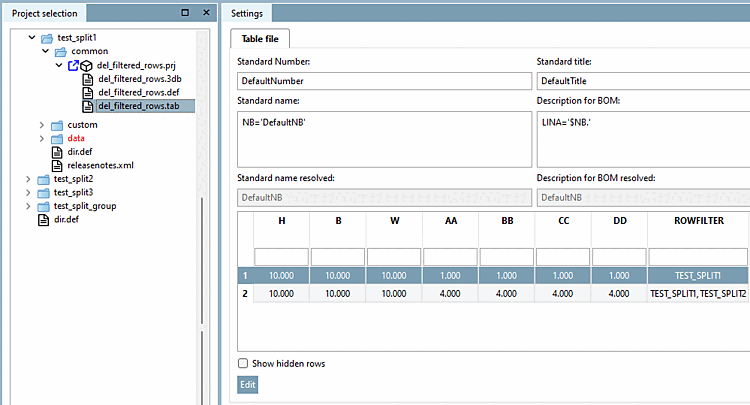
In the corresponding line of the table, enter the catalog in which the line should be visible.
In PARTproject, enter the name selected in step 2 for each catalog folder to which the created filter is to be applied when splitting the catalog.