
5.24.3.4.3. Generate a self-signed certificate 5.24.3.4.3.3. Importing a Certificate into Windows
Certificate Manager
|  |
| Prev | Next |
The generated certificate must be present on the server and on the clients in the Windows Certificate Manager.
Right-click the exported certificate and select Install Certificate .
In the Certificate Import Wizard, select the " Local Computer " option and click " ."
Select " All Certificates" to save them to the following store, and under " Certificate Stores," select "Trusted Root Certification Authorities."
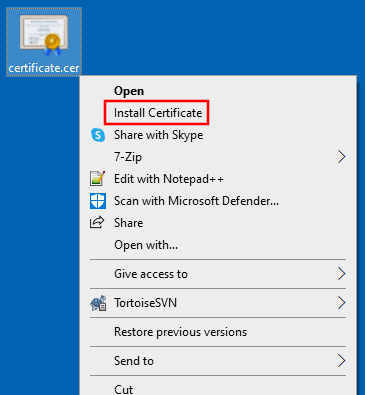
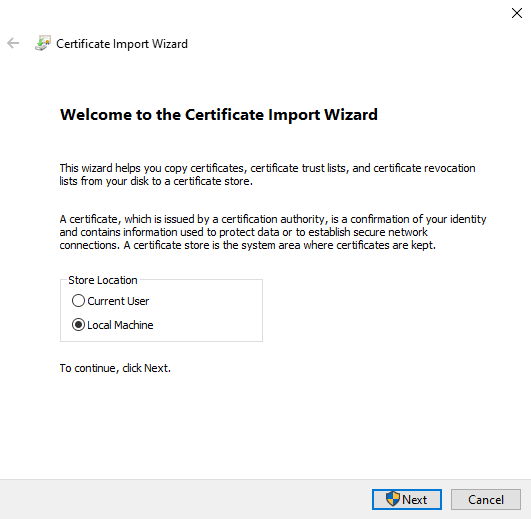
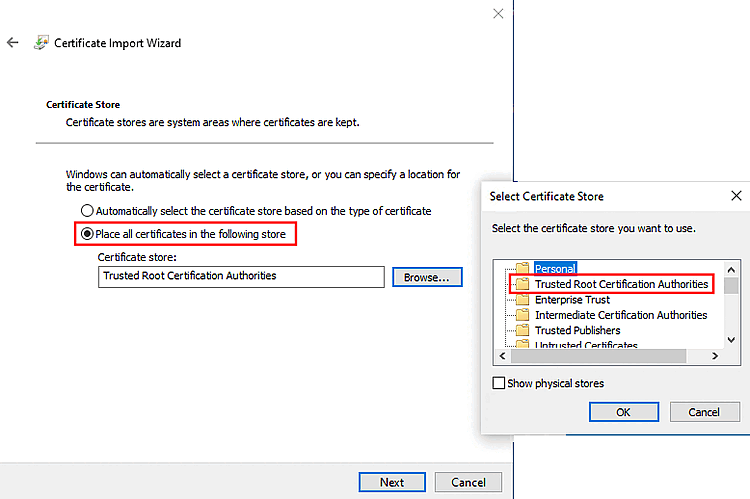
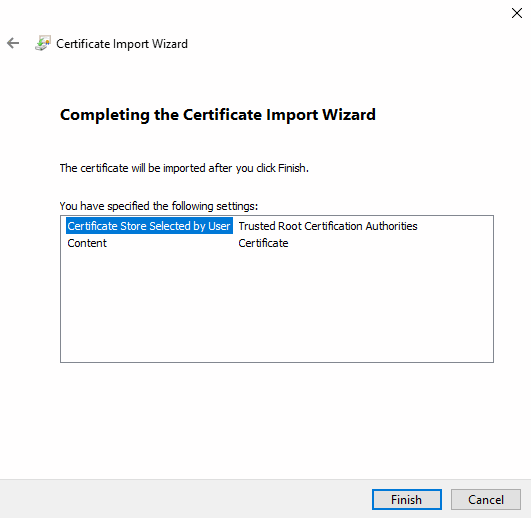
The certificate was successfully imported into the Local Computer\Trusted Root Certification Authorities store.
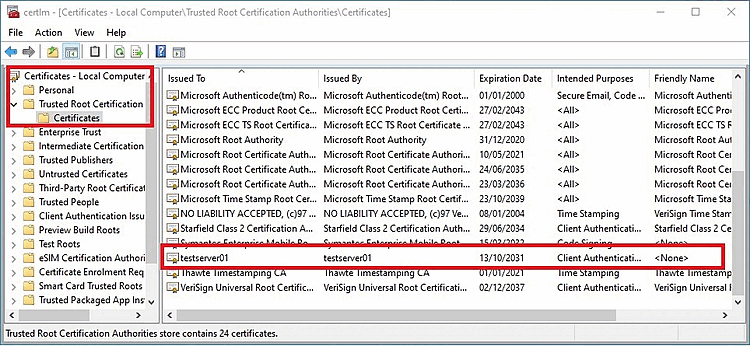
Now repeat this process for all clients.
Verify the certificate in your browser.
Try out 3Dfindit. If you encounter any problems, restart the AppServer first.