

In this example, the search for a geometric feature is combined with a 2D sketch search [2D Sketch search].
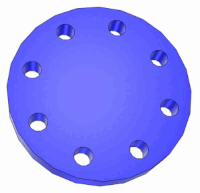
-> The desired search directory for own parts has been chosen (see Section 5.4.4, “ Folder Search ”).
-> A search for a flange (circle) was carried out using a 2D sketch search [2D Sketch search].

With just one sketch, completely different parts were found in addition to "disks", as only one dimension was defined at the time.
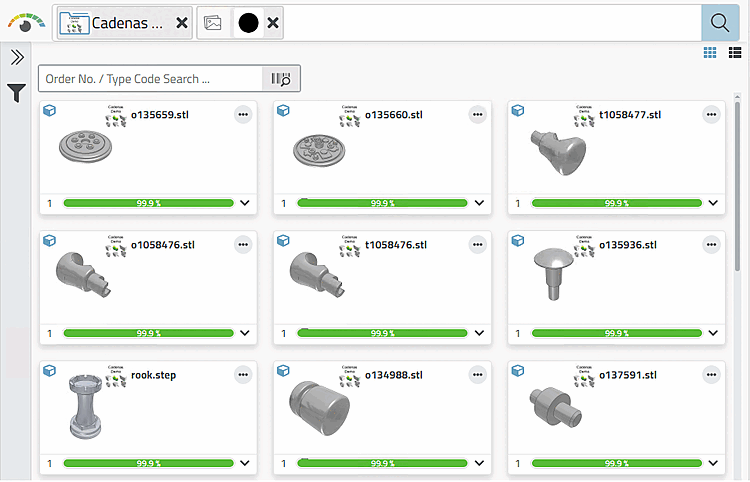
The sketch search works well with a search for geometric features. You can also define a 2nd dimension (e.g. the thickness of the part you are looking for) using a geometric characteristic.
Open the 3D search [3D Search] and then click on Advanced search for geometric features.
Under Global attributes [Global Attributes], click on Size.
-> The respective dialog area is opened.
For example, enter the value 8 under Size for Smallest dimension [Minor Dimension] (mm).
Under Holes, click on Hole and enter the value 8 under Number [Amount], for example.
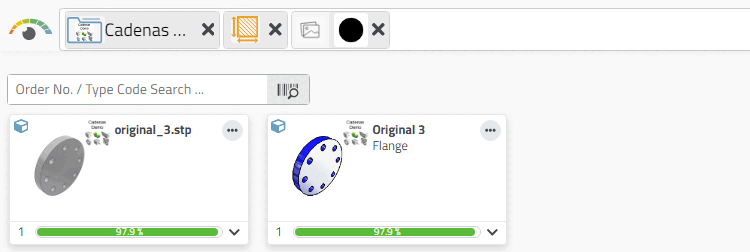
-> Now the searched flange shows up under the first results.
-> Table and 3D view are displayed.
![Open "Geometric features [Geometric features] " dialog area](https://webapi.partcommunity.com/service/help/latest/pages/en/installation_ecatalogsolutions/doc/resources/img/img_4b85f8537cbc443e8b488f6f6ba0301c.png)



![[Note]](https://webapi.partcommunity.com/service/help/latest/pages/en/installation_ecatalogsolutions/doc/images/note.png) | Note |
|---|---|
As a rule, 100% of all rows per table are indexed for own parts and only a certain percentage for purchased parts. If you want to include 100% of all rows for purchased parts as well, they can be administratively indexed at any time.[31] | |
[31] See Section 1.4.3.6.6.6, “ Geometrical search index ” in ENTERPRISE 3Dfindit (Professional) - Administration.