1.4.1.4.8.
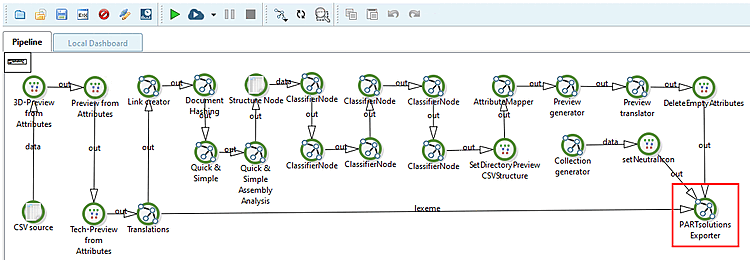
"PARTsolutions Exporter" Node
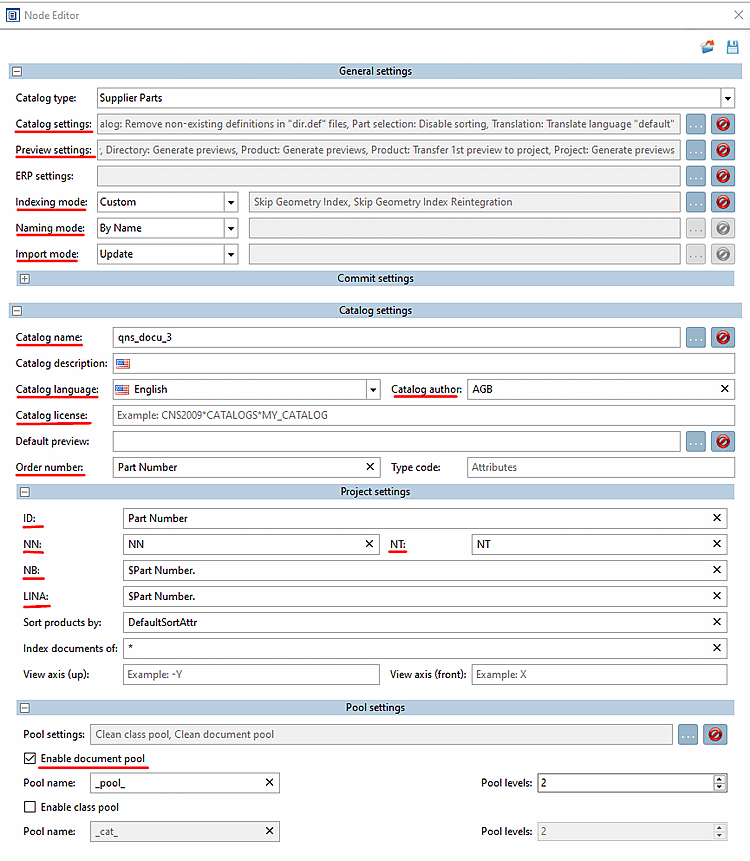
General settings:
Catalog settings:
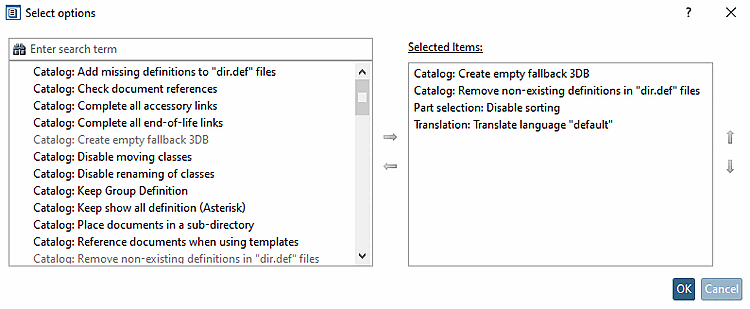
The following settings are usually used:
Catalog: Create empty fallback 3DB:
Catalog: Remove non-existing definitions in "dir.def" files: When making changes, it is good to remove what no longer exists.
Part selection: Disable sorting: No change for repeated imports
Translation: Translate language "default":
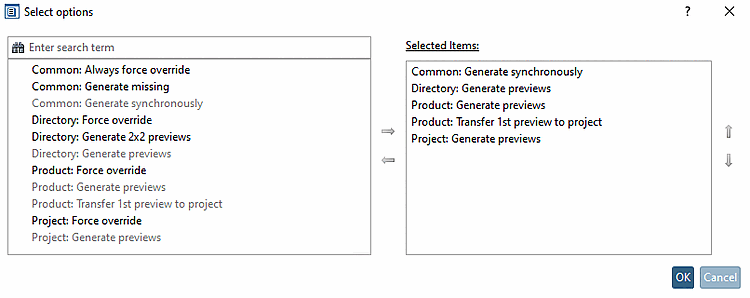
Preview settings: Use the following settings to preview directories, products and projects.
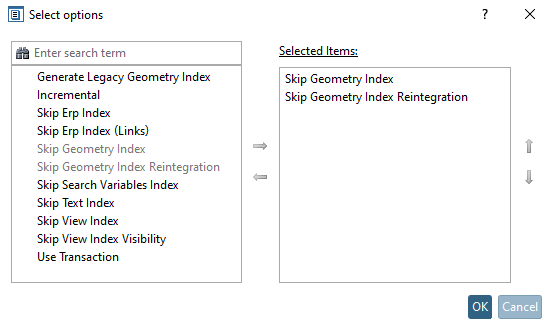
Indexing mode: Select "Custom" and make the following settings to speed up the import process. Any indexes can also be generated later in PARTadmin.
Naming mode: By name
Import mode: Update
Catalog settings:
Catalog name: Enter the desired catalog name. You can also use different catalog names for testing purposes.
Catalog language: English
Catalog author: AGB
Catalog license: Does not require an entry, as the key from the catalog is used.
Order number: Enter the column name for the order number.
Project settings:
ID: Use the order number, as this is unique for each line. So here in the example "Part Number".
NN: Use the standard number "NN".
NT: Use the standard text "NT".
NB: Use the order number because it is unique for each line. So here in the example "$Part Number.".
LINA: Use the order number. So here in the example "$Part Number.".
Pool settings: