
4.5.3.
PARTapplicationServer installation
4.5.3.2. Set up PARTapplicationServer as a service
|  |
| Prev | Next |
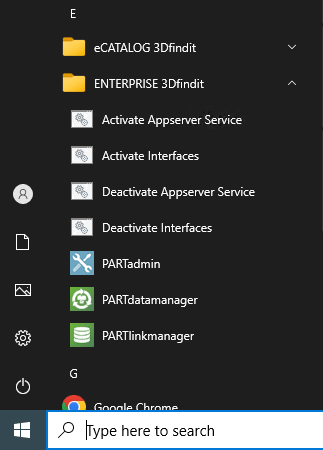
Setting up PARTapplicationServer as a service has the advantage that it is automatically started when the server computer is started and Windows mechanisms are used to monitor stability, e.g. restart in case of a crash (after one minute (can be further reduced via registry)).
With the
command pappserver.exe -install you can use the
Set up the service via console. [2]
[3]
![[Note]](https://webapi.partcommunity.com/service/help/latest/pages/en/partwarehouse/doc/images/note.png) | Note |
|---|---|
When setting up, the corresponding administrative rights must be granted in the same way as for the server installation. | |
| Note |
|---|---|
Check whether the PAPPSERVER has actually started. Otherwise, start the PAPPSERVER. pappserver.exe -start
| |
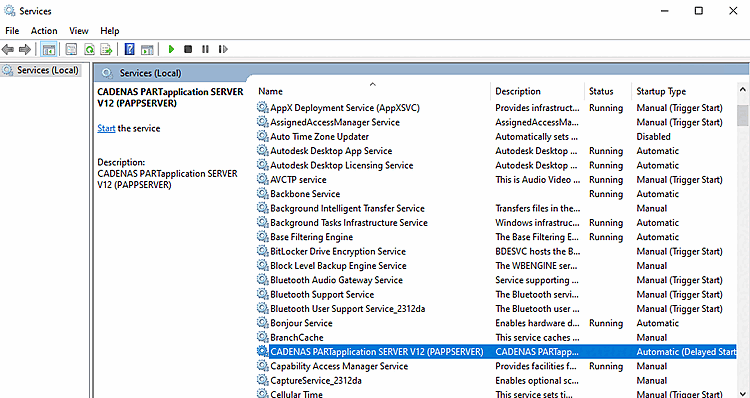
Once installation is complete, the "PAPPSERVER" service is displayed under Windows > Control Panel > Administrative Tools > Services.
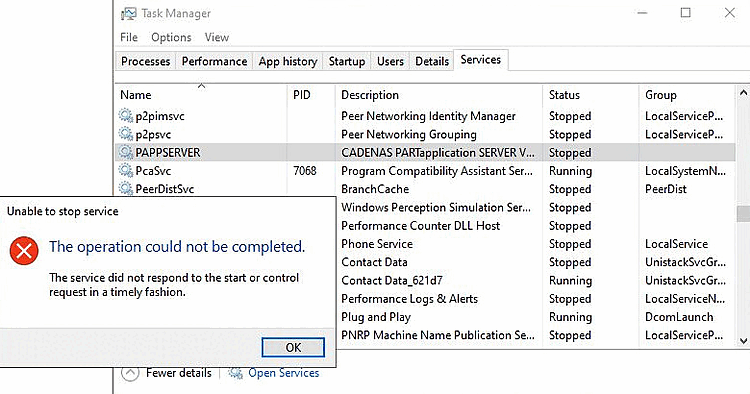
If the service does not respond when it is stopped, this may be because "tasks" are running that cannot be stopped promptly.
The installer creates a UNC path for the AppServer service. However, this may not yet be available when the service is started.
UNC paths are also slower than shares and local installation paths.
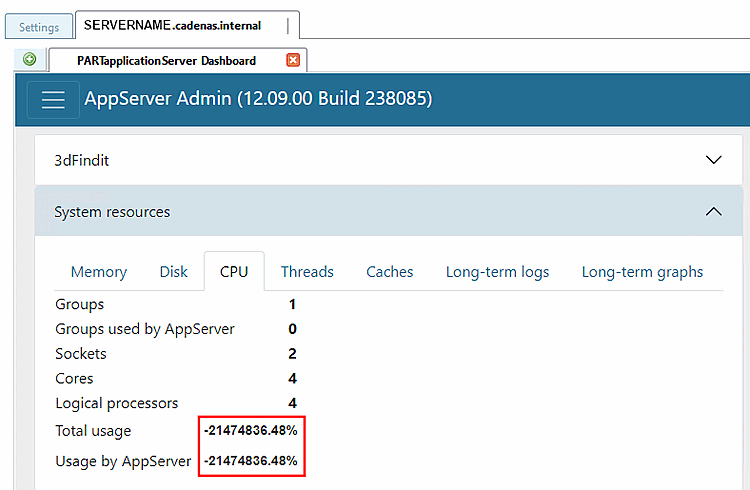
Problem: If you change the operation of the PARTapplicationServer to a specific user, access to certain information may be blocked.
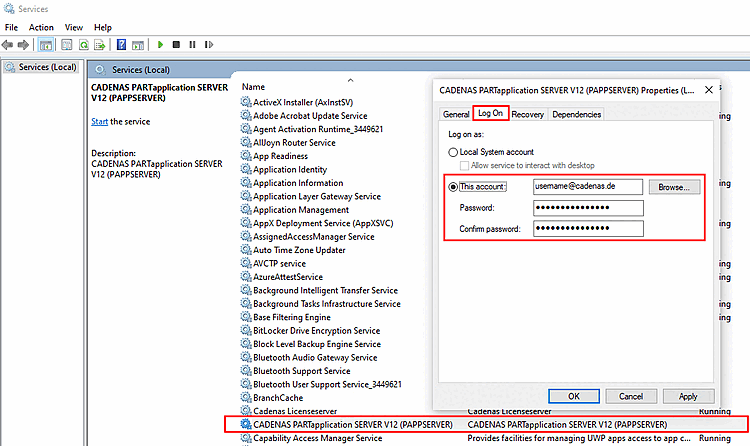
Example:
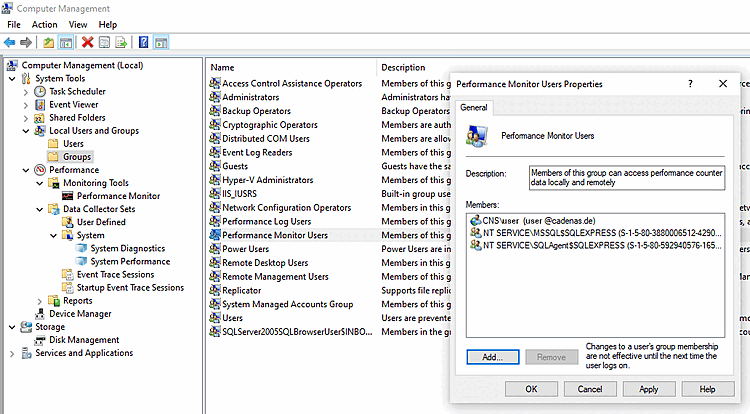
Solution: Add the user under > Computer Management > Local Users and Groups > Groups > Performance Monitor Users.
See Section 5.24.3.4.3, “AppServer Configuration ” in ENTERPRISE 3Dfindit (Professional) - Administration