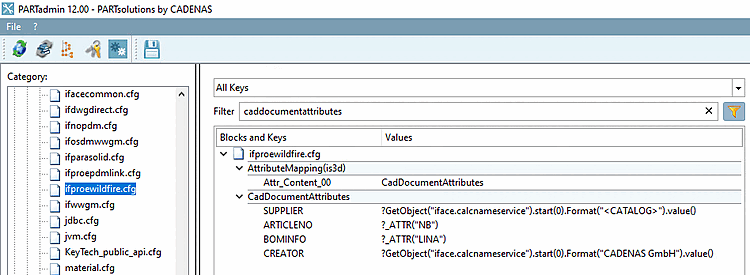
For the mapping between Creo and Windchill to work, several steps are required.
Define attributes for transfer to CAD/PDM (these are not the default attributes, but those explicitly specified in the [CadDocumentAttributes] block.)

Open the configuration file
$CADENAS_SETUP/ifproewildfire.cfg.In the [CadDocumentAttributes] block, enter the attributes you want to export from the CAD system to PDMLink .
For each attribute that is to be passed to Windchill, enter the additional line "<ATTRIBUTE_NAME>.custom=DESIGNATED".
[CadDocumentAttributes]
NB=NB
NB.custom=DESIGNATED
NT=NT
NT.custom=DESIGNATED
LINA=LINA
LINA.custom=DESIGNATED
NN=NN
NN.custom=DESIGNATED
ERP_PDM_NUMBER=ERP_PDM_NUMBER
ERP_PDM_NUMBER.custom=DESIGNATED
MAT_NAME=MAT_NAME
MAT_NAME.custom=DESIGNATED