

You can move a node, along with all its child nodes, to a more appropriate location within the same clustering hierarchy. This process can be initiated via the node menu or by dragging a node to a suitable destination in the tree.
Use "Move" [1] in a node's action menu if you want to manually select the destination. The dialog displays a tree of suitable parent nodes; a final confirmation screen lists the source and destination. The moved node retains its child nodes.

Select an internal node or an empty leaf outside the source branch [1] from the list. The confirmation dialog [2] lists the structural change before it is executed. Filled leaves do not appear in the destination list, since they cannot contain child nodes.

Selecting a target and confirming it clearly distinguish reassignment from other cluster operations.
To work directly on the structure, drag a node (not the root) onto a suitable destination in the cluster tree. The feedback at the destination indicates a valid destination for the reassignment. The updated tree shows the node with its entire branch under the new parent node.
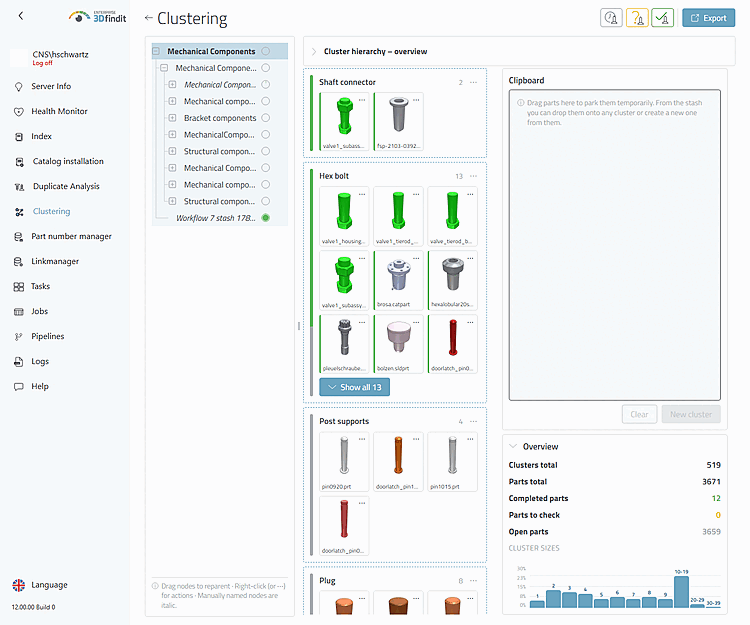
After reloading the saved hierarchy, the moved branch is located entirely under its new parent node.
After each move, check the metrics in all affected areas: the progress circle in the tree and its tooltip for the source and destination branches, the status bars of the affected cluster maps, and the totals under “Overview.” The branch-specific values must follow the moved subtree; the total number of items and the totals for “Open,” “To check,” and “Done” remain unchanged.
Moving Nodes – Entry Points, Destinations, and Control
After reloading, the selected node and all its child nodes will appear under the confirmed new parent node. The part relationships in each moved leaf node remain unchanged.