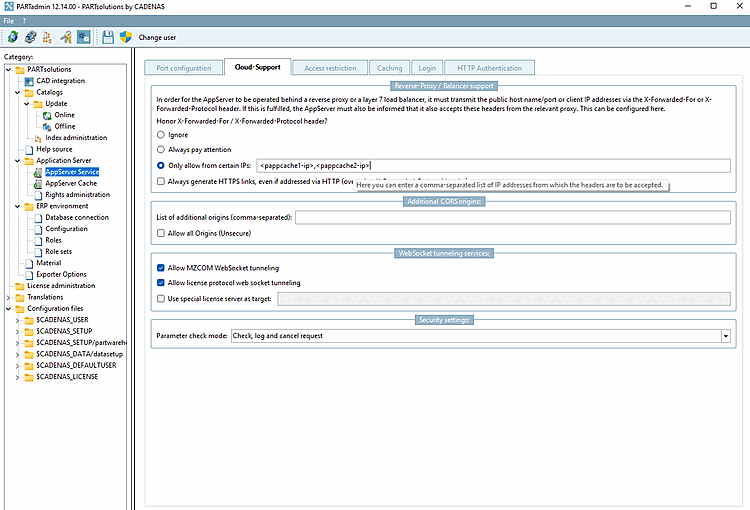
To ensure that the cache server can function properly as an upstream proxy, you must configure several security settings on the AppServer. You can find these in PARTadmin under Application Server [AppServer Service] > AppServer Service on the Cloud Support tabbed page.
The outbound IP addresses used by the cache server must be added to the list of allowed proxies in the AppServer configuration (option "Only allow from certain IPs" under " Honor X-Forwarded-For / X-Forwarded-Protocol header? ).
The AppServer handles this automatically for the DNS-resolvable IP address of the cache hostname. If this does not match the actual outgoing IP address, the real address must be manually added to the list of allowed proxy servers.
The cache server's hostname is automatically added to the list of allowed CORS hosts. If necessary, additional origins can be added under " Additional CORS origins."