

- 5.24.3.4.1. Create a certificate request on the customer side (via GUI buttons)
- 5.24.3.4.2. Create a certificate request on the customer side (manually)
- 5.24.3.4.3. Generate a self-signed certificate
- 5.24.3.4.4. AppServer Configuration
- 5.24.3.4.5. Validation on the client side
When using HTTPS (SSL ), the server must authenticate itself to the client.
This happens via certificates. Certificates are either issued self-signed (only for test purposes) or by a trusted certificate authority.
The certification runs via the Windows Certificate Store, which you open on the Port Configuration [Port configuration] Tabbed page by clicking on the certlm.msc link.
You can select certificates that have already been issued in the list field under Hostname [Host name].
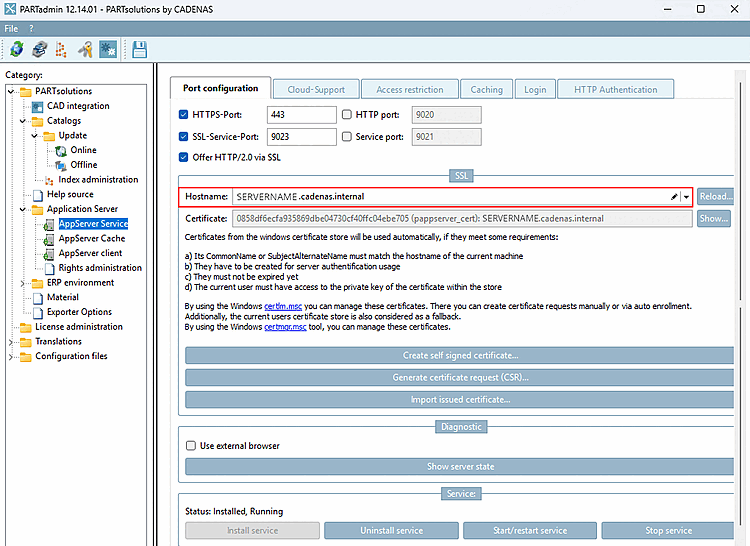
In the following sections, you can find descriptions on the different methods of certificate creation: