

From 3Dfindit, the release for parts that are blocked for export can be requested from the responsible office.
![[Note]](https://webapi.partcommunity.com/service/help/latest/pages/en/ecatalogsolutions/doc/images/note.png)
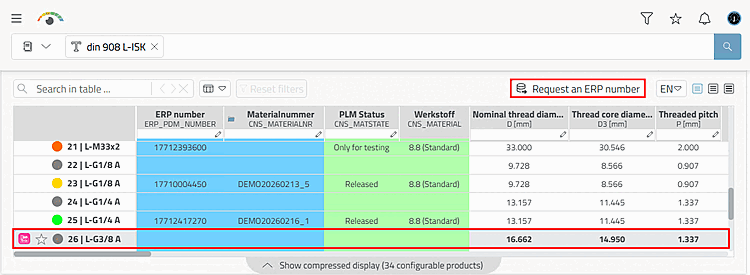
The user selects the desired table row.
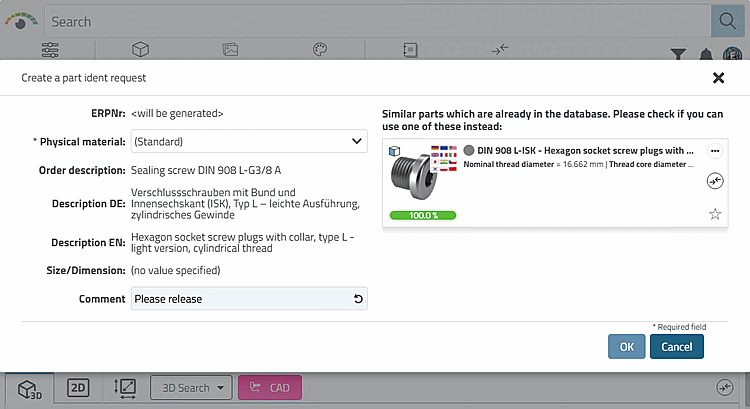
Click on the button to open the Create a part ident request dialog box.
The input fields can be configured as required, so they do not necessarily look like the example here.[39]
The user now makes the desired entries and confirms by clicking .
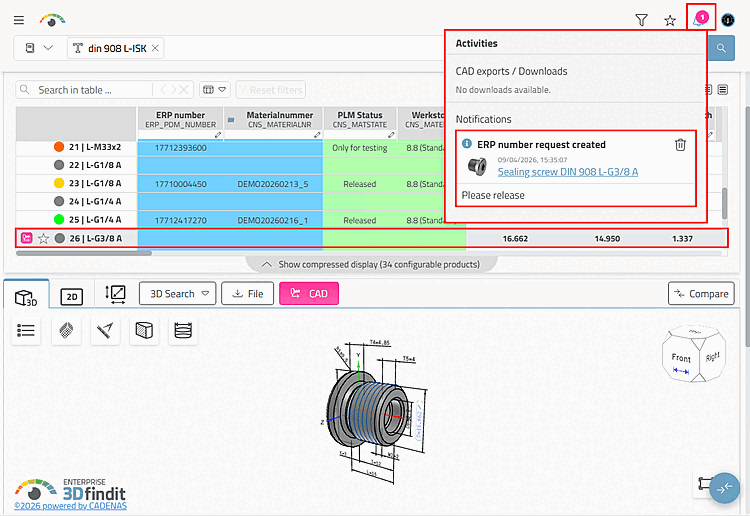
-> The request for approval for export is now processed by the administration, standards department or a key user, depending on the respective company workflow.
-> The following happens in 3Dfindit:
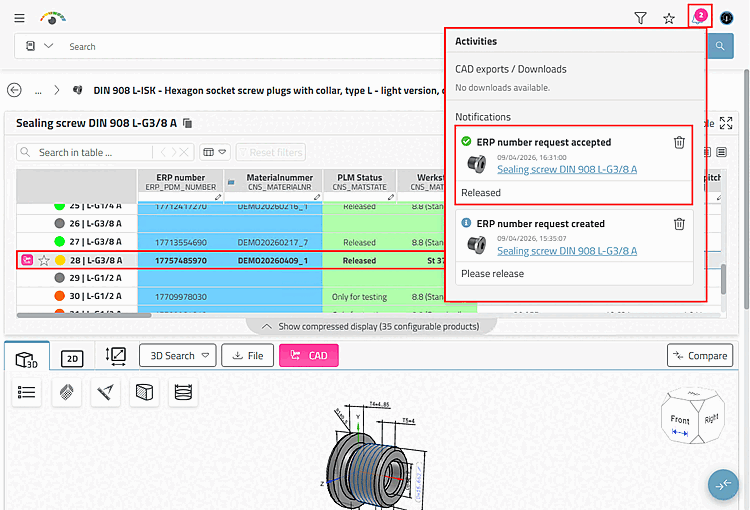
As soon as the release has taken place, the following changes will take effect:
[39] Administrative information on this can be found in the Section 5.12, “ Design "New ident number " dialog box - erpcustom.cfg -> Block [USERDIALOG] ” in ENTERPRISE 3Dfindit (Professional) - Administration.