hexagon
Insert [Insert hexagon]
hexagon
Insert [Insert hexagon]
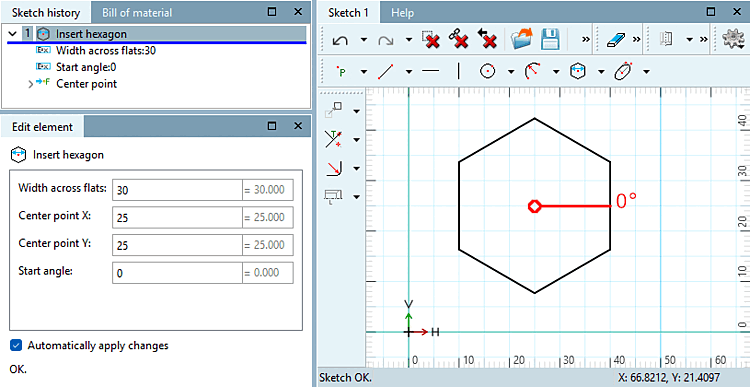
Create a hexagon using the center point [Center point] and width across flats [Width across flats].
hexagon
Insert [Insert hexagon]
Create a hexagon using the center point [Center point] and width across flats [Width across flats].
![[Note]](https://webapi.partcommunity.com/service/help/latest/pages/en/ecatalogsolutions/doc/images/note.png)
![Snap onto the grid [Snap to grid]](https://webapi.partcommunity.com/service/help/latest/pages/en/ecatalogsolutions/doc/resources/img/img_55777b1ea4c14f29a2a22a64bb6024f8.png)
!["Scalar parameters [Scalar parameters]" activated](https://webapi.partcommunity.com/service/help/latest/pages/en/ecatalogsolutions/doc/resources/img/img_7588406af68c4a46b11313289b6b88da.png)