If you encounter any problems, check each item on this list.
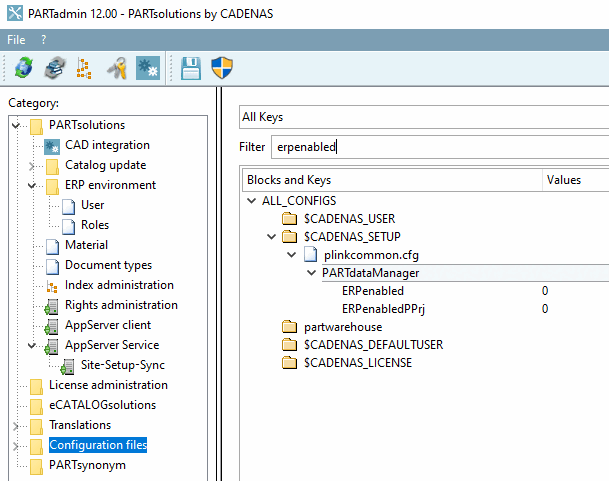
Is ERP enabled on the 3Dfindit server? ?
At least the ERPenabled key must be set to 1.
Missing ERP columns may be an indication of this.
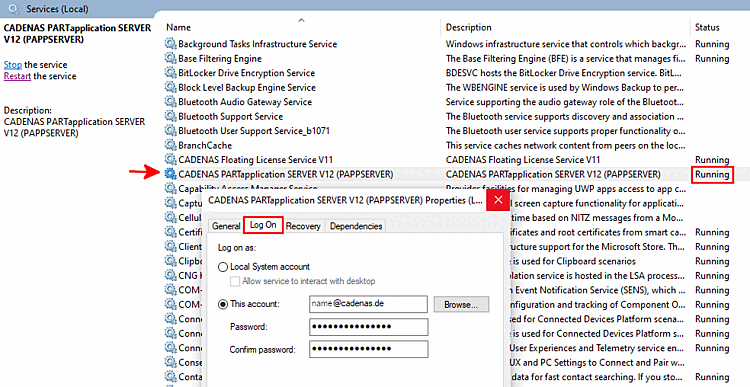
CADENAS PARTapplication SERVER Is it installed and the service running?
Whenever a central PARTapplicationServer is in use, it must be started as a service.
After making major changes, the service must be restarted.
Note which user was used to set up the AppServer. For more details, see Section 5.24.3.4.4, “AppServer Configuration ”.
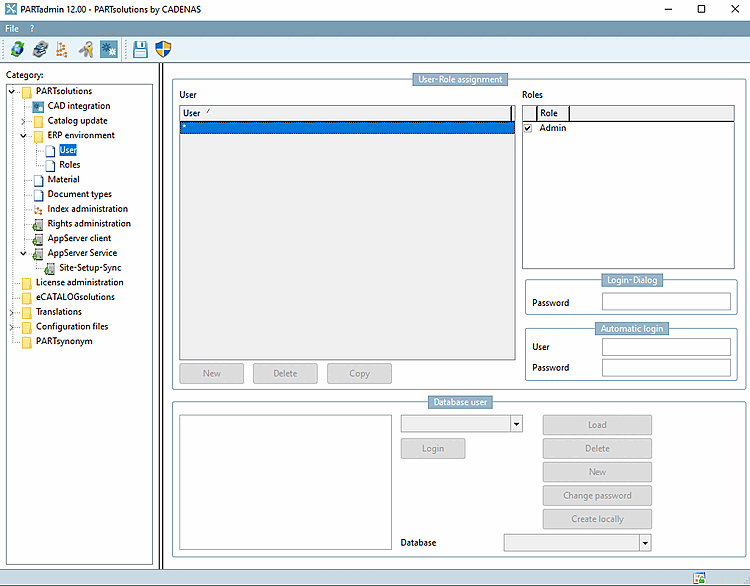
Only with a valid ERP license are the settings under ERP Environment [ERP environment] -> Users [User] enabled.
Explicitly created ERP user (optional):
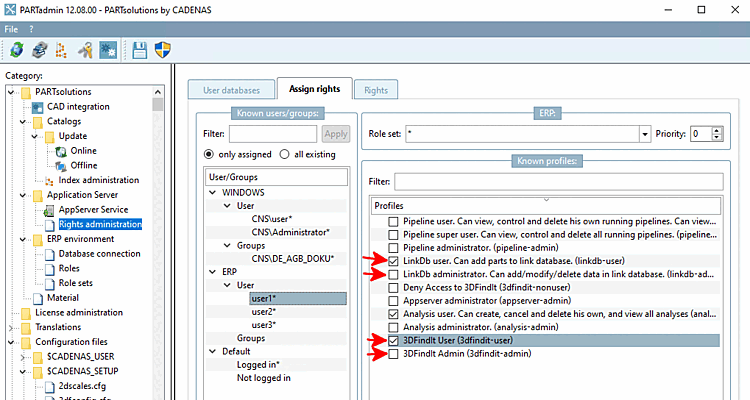
If a user (here, "user1") is to use 3Dfindit, make sure that "3DFindit User" is enabled under Known Profiles [Known profiles] .
Check whether any additional special privileges are required:
If you want to be able to use the " Add to Link Database [Add to link database] " function (including variants) in 3Dfindit, the " LinkDb user. Can add parts to link database. (linkdb-user)" profile must be enabled under " Profiles."
If you want to edit existing records, the "LinkDb administrator. Can add/modify/delete data in the link database. (linkdb-admin) " profile must be enabled under " Profiles."
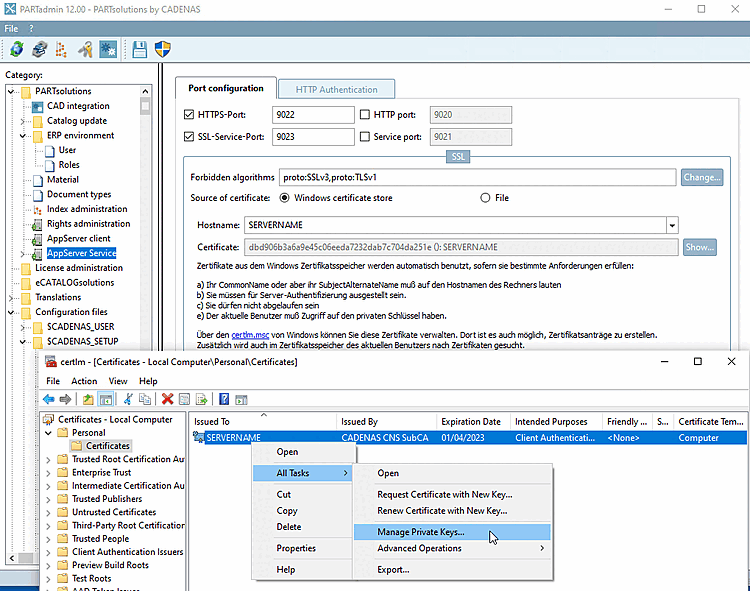
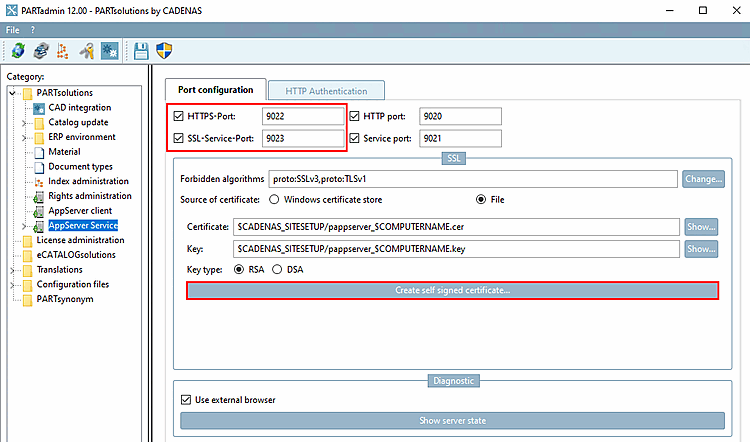
Certificates are required to use HTTPS over SSL.
Check whether the chain of trust is established.
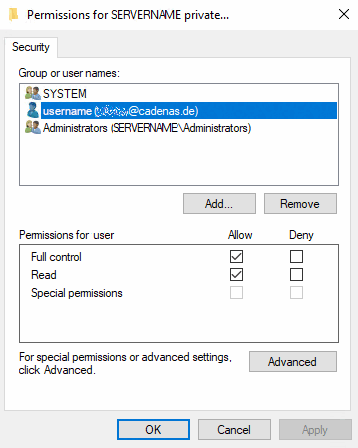
Make sure that the user who accesses the AppServer has permissions for the certificate being used.
For details, see Section 5.24.3.4, “SSL encryption ”.
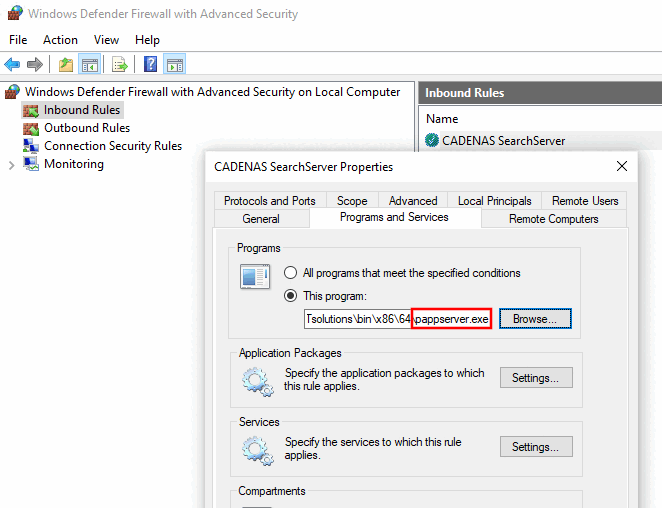
Make sure that the desired access to the AppServer is not blocked by a firewall.
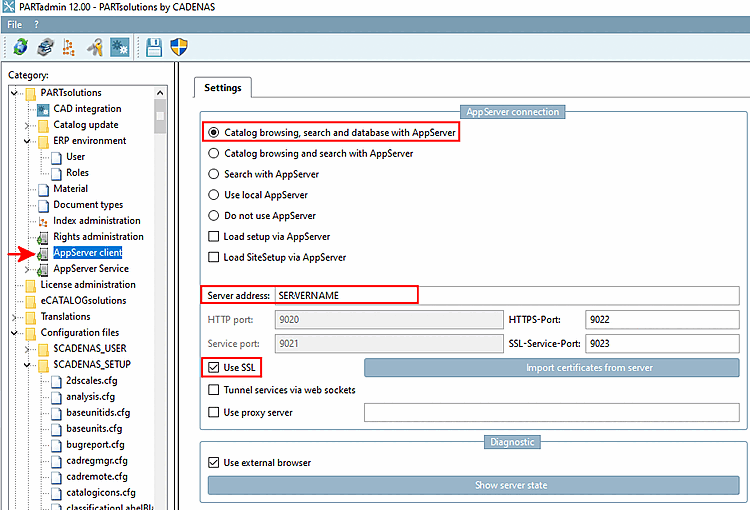
Check whether the port configuration [Port configuration] is compatible with the entry in the
start.envmatch.[ENVIRONS] CADENAS=%DirOfThisFile% CADENAS_APPSERVER=https://servername.cadenas.internal?sslport=9022 CADENAS_USER=%UserAppData%/PARTsolutions/user CADENAS_SETUP=$CADENAS_USER/../setup CADENAS_DEFAULTUSER=$CADENAS_SETUP/user/default_user CADENAS_SITESETUP=$CADENAS_USER/../site CADENAS_LICENSE=$CADENAS_SITESETUP/lic CADENAS_POOL=C:\ProgramData\PARTsolutions\pool\
To avoid potential problems, make sure the settings are correct under AppServer Client [AppServer client].
pappclient.cfg: The value of the FullLocalMode key must be “false,” which is the default setting.
Enable Maximum Search Assistance: See Section 1.8, “More administrative setting options”.